Question :Your license has not been update from AutoCount Cloud License Server for past few days. Please get license online from license control.

Possible Reason :
Computer without connect internet after 7 days cause cannot communicate
with AutoCount server to update license
Solution :
Connect Internet and open again AutoCount POS will automatic update License
Remark :
If you facing same problem after connect internet , you may follow below step to update license manually
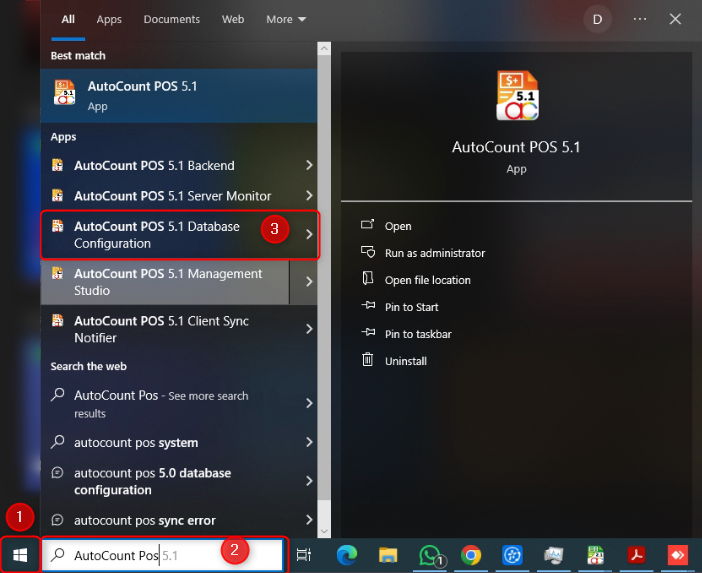
Click On “Windows Start Button” > Key in ” AutoCount POS ” > Select ” AutoCount POS 5.1 Database configuration “
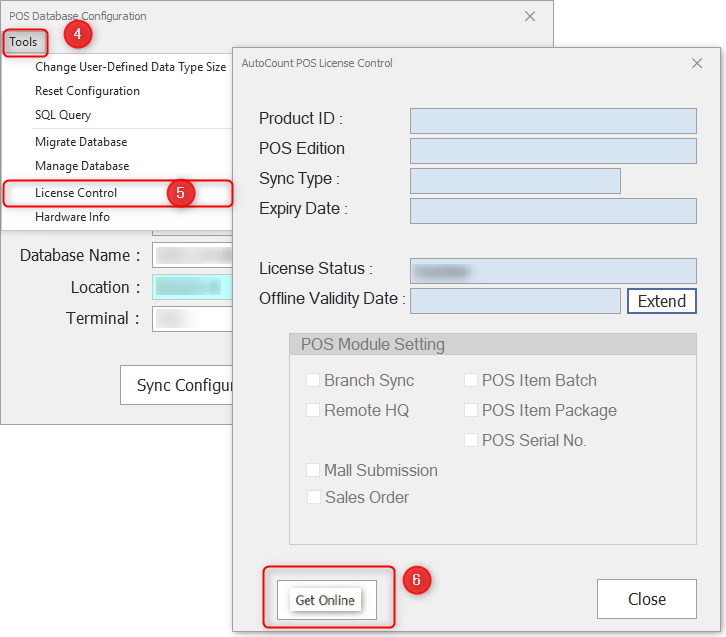
Click On “Tools” > “License Control” > “Get Online”